To enhance your search experience, you can utilize operators such as AND, NOT, and OR to help refine your search results.
Using Operators
Use AND, NOT, OR operators in combination with keywords to narrow down search results.
Examples:
- millennial AND gen z – results must mention both search terms
- millennial OR gen z – results must mention either search term
- millennial NOT gen z – results must mention millennial but not gen z
- millennial AND gen Z NOT boomer – results must mention millennial and gen z, but not boomer
Note: The operator must be typed in all caps for it to work.

In this example, we have searched for millennial AND gen z meaning that results must have both search terms within the post.
Preview Search Terms
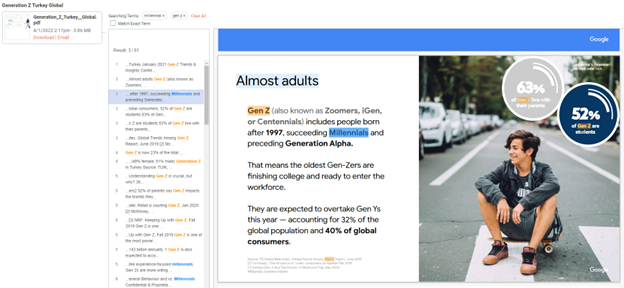
Click on Preview to view search results within the post. Click on any of the results to find the search term highlighted within the document.
You’ll notice that each search term is highlighted in a different color, making it easier to find each search result with a post.
Quotes
Use quotation marks to search for exact phrases.
For example, if you search consumer buyer journey you may see results that mention consumer or buyer with journey. If you search “consumer buyer journey”, you will only see results that have the full quote as shown in the screenshot.
You can use quotation marks in conjunction with operators.
Example:
- “social media” AND millennial