Users can share posts using private or public links.
Sharing Posts
To share a post, click on the ellipsis icon in the lower right-hand corner of the post. Under Share, you have the option to Get Public Link or Get Private Link.
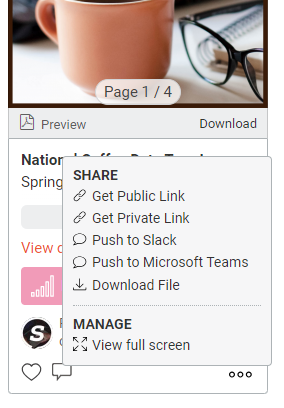
A Public Link means that anyone with the link can access the post and its details.
A Private Link means that the recipient must be a Sharpr user to access the post and its details.
Note: Some accounts may have disabled the option to share via Public Link, so you may not see this option.